

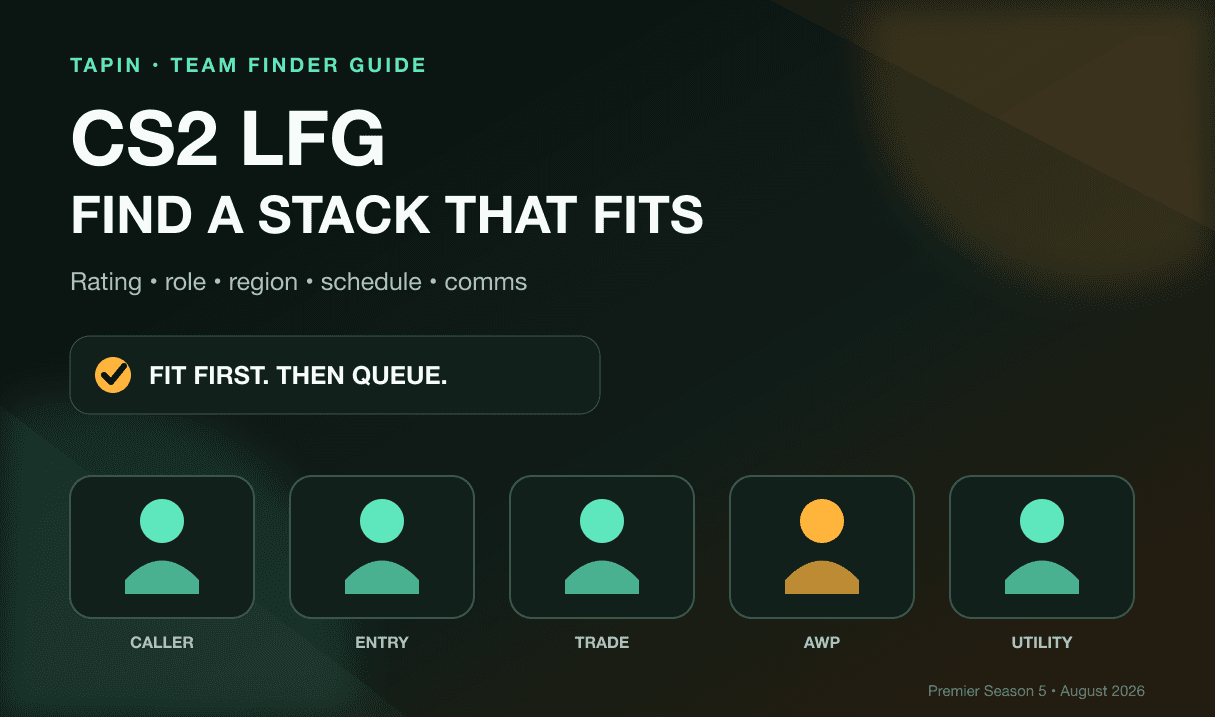
Last Updated: August 2026
Typing “CS2 LFG” takes five seconds. Finding teammates who match your rating, play useful jobs, join voice, and stay normal after a lost pistol round is the actual work.
This guide gives you a fast filter for Premier, Competitive, and third-party queues. You’ll get a copy-ready LFG post, a neutral look at where to search, a five-stack job check, and a three-game trial that exposes bad fit before it becomes your whole evening.
Valve started Premier Season Five on July 8, adding Cache and removing Overpass from Active Duty. Its latest listed Counter-Strike 2 update arrived August 19, so this guide reflects the live August 2026 game rather than an old CS:GO setup.
⚡ Quick answer: Put six things in your post: mode and goal, rating, main and backup job, region, exact play window, and comms style. Run three games together before treating one carry—or one disaster—as proof of anything.
Table of Contents
- Where to find CS2 teammates
- What a useful CS2 LFG post includes
- How to balance a five-stack
- The 10-minute pre-queue check
- The three-game teammate trial
- Safety and behavior checks
- FAQ
CS2 LFG: Where to Find Teammates
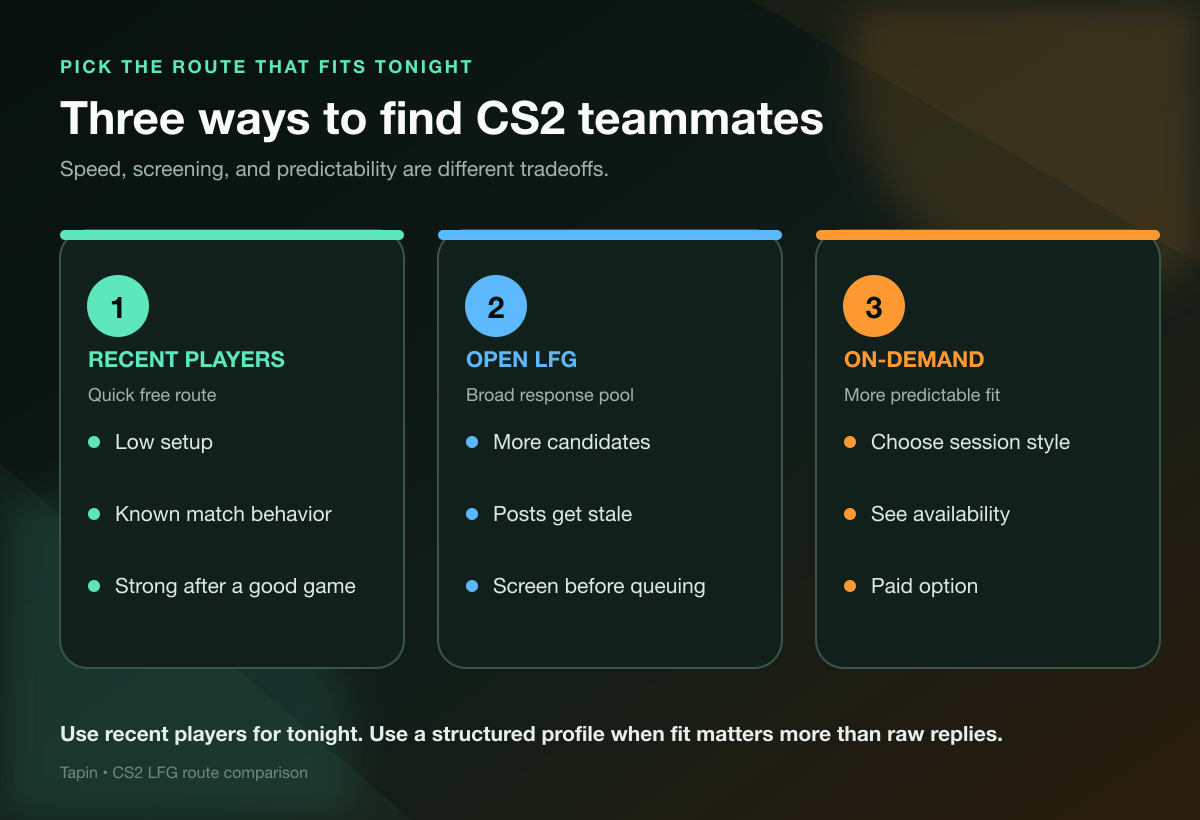
There is no single route that fits every session. Pick based on how quickly you need a player, how much screening you want, and whether you want a free search or a paid on-demand option.
| Route | Useful when | Main tradeoff |
|---|---|---|
| Recent-player adds | You just had a clean match | Little profile screening |
| Discord, Reddit, and open groups | You want a broad free pool | You must check post freshness and fit |
| Platform party finders | You already play on that platform | Filters depend on the platform |
| Tapin | You want an on-demand teammate | It is a paid option |
Start with recent players when tonight is the only goal
After a match with clear comms and useful trades, send one line: “Good calls. Want to run two more?” You already watched that player buy, rotate, lose rounds, and talk under pressure. A profile cannot show you all of that.
One good game can still be luck. Add them for a short block, not a lifetime contract.
Use open groups when you can screen responses yourself
Public communities can surface more candidates than your recent-player list. They also make you do the sorting: old posts, wrong regions, mismatched ratings, and “any role” players who only want the AWP.
Write a structured post, ignore replies that skip your hard requirements, and move the rest into a two-minute voice check. More replies do not automatically mean more usable teammates.
Use platform party tools when the queue is already decided
If your whole session is on one matchmaking platform, its party finder can remove an extra handoff. Match the platform, rating system, microphone preference, and region before you discuss roles.
This route is less useful when you still need to decide between Premier, Competitive, or another queue. Mode comes first because a Premier rating and a third-party level are not interchangeable.
Use Tapin when you want less recruiting
Tapin is the paid, on-demand route. You can find a CS2 teammate on Tapin, choose the kind of session you want, and spend the block playing instead of refreshing LFG posts.
I believe that option makes sense when your play window is fixed or you want a guided session—not when you enjoy recruiting and already have an active group. The honest comparison is paid predictability versus free searching.
If you are new to the acronym, our plain-English guide to what LFG means covers the common shorthand without turning it into gamer homework.
What a Useful CS2 LFG Post Includes
“Need four, be good” gives serious players nothing to answer. A useful CS2 team finder post makes the match visible before anyone joins the lobby.
Include these six fields:
- Mode and goal: Premier climb, Competitive practice, FACEIT, scrims, or a chill block?
- Rating: Use the rating system for that exact queue. Do not mix Premier rating with another platform’s level.
- Main and backup job: Caller, entry, trader, AWPer, support, lurk, or flexible rifler?
- Region: Name the server region you can play without miserable ping.
- Schedule: Playing now, exactly three games, or building a recurring team?
- Comms: Voice required, optional, or off? Short calls, full strat talk, or a quieter session?
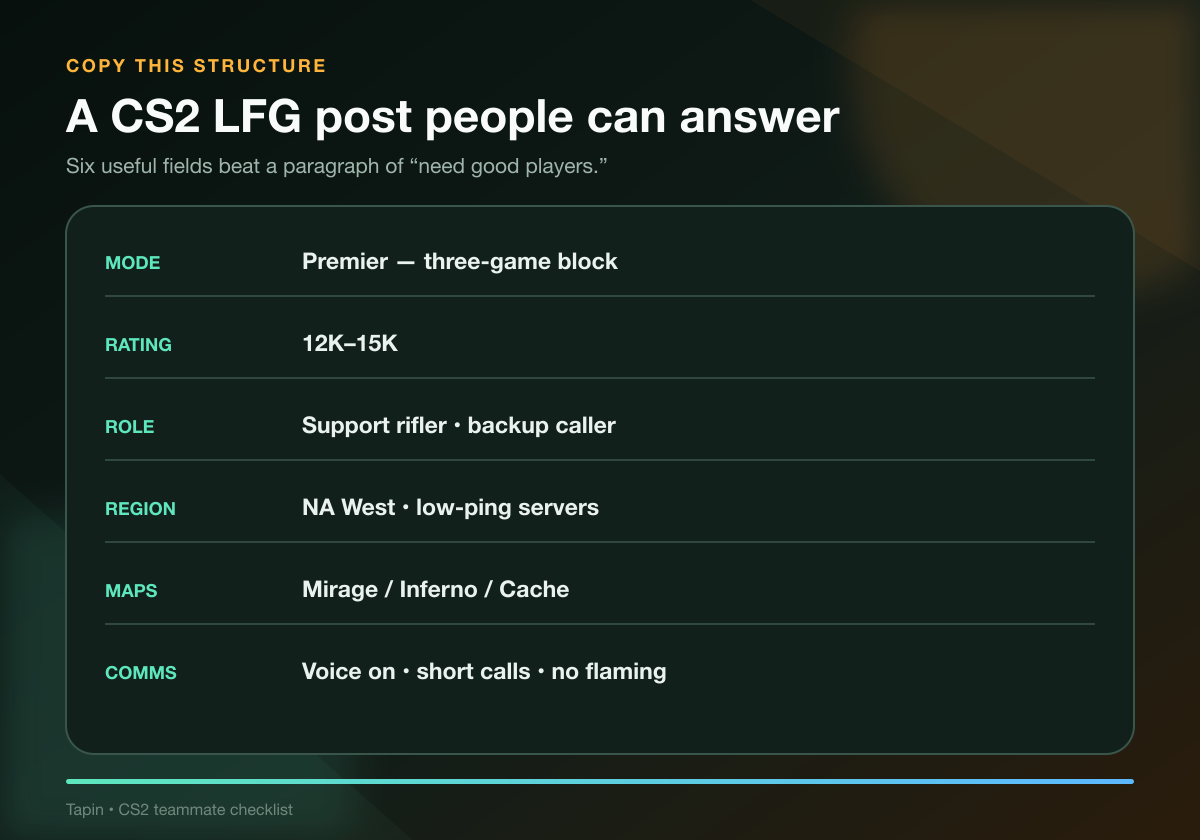
Copy this structure:
NA West | Premier | 12K–15K
Goal: Three-game block tonight, 8–10 PM PT
Jobs: Support rifler, backup caller
Maps: Comfortable on Mirage, Inferno, and Cache
Looking for: Entry or flexible rifler
Comms: Voice on, short calls, calm after losses
Hard no: Flaming, cheats, account sharing, or quitting mid-block
Every line changes the session. Your skin inventory, favorite pro, and 12-map autobiography can wait.
Separate hard requirements from preferences
A hard requirement ends the fit before queue: wrong region, incompatible schedule, no microphone when voice is required, or behavior you refuse to accept. A preference can bend: exact map comfort, a slightly different rating, or someone who talks more than you do.
Keep the hard list short. If every detail is mandatory, you are not building a stack—you are waiting for four clones.
⚡ Pro Tip: End the post with one direct question: “What job do you want, and what can you cover?” Copy-paste replies become obvious fast.
Build a Five-Stack Around Jobs, Not Ego
Counter-Strike 2 is a five-player team game, but its jobs are flexible. You do not need five permanent labels. You need five people who know who owns the important work on this map.
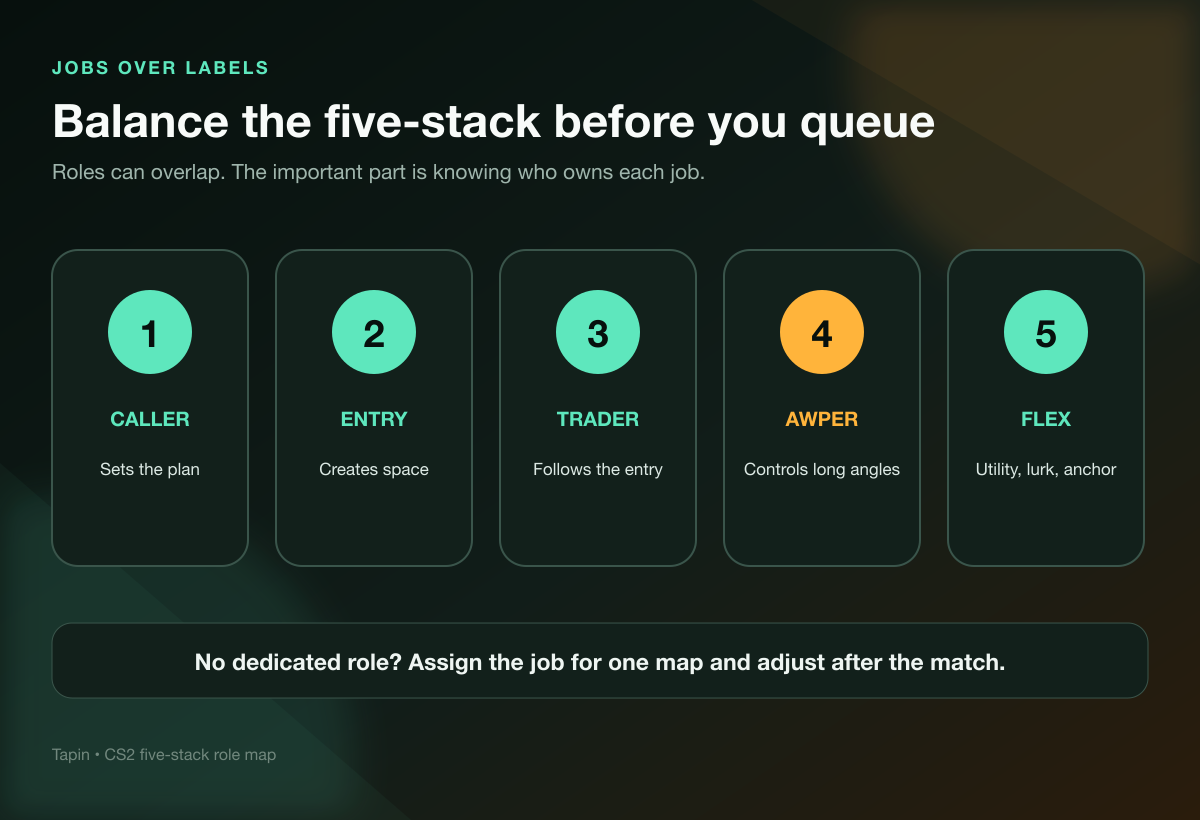
Before queueing, cover these jobs:
- Caller: Names the opening plan and makes the mid-round decision when the first plan dies.
- Entry: Takes first contact and creates space without demanding a miracle flash every round.
- Trader: Follows close enough to convert the entry’s information into a trade.
- AWPer: Owns the expensive sniper decision and accepts when the economy says rifle.
- Flex: Covers utility, anchors, lurks, or second calling based on the map and side.
The jobs overlap. A caller can support.
An AWPer can anchor. A flex player can entry when the spawn and plan demand it.
The red flag is not overlap—it is missing ownership. If everyone says “I just rifle,” ask who throws the setup utility, who goes first, and who makes the late-round call.
Match maps before you argue about the full pool
Season Five brought Cache into Active Duty, but an LFG post does not need a seven-map manifesto. Pick two or three maps everyone can play now and one map the group is willing to learn.
Map comfort is not just knowing callouts. Ask where each player prefers to anchor on CT, which T-side utility they can throw without a tutorial open, and what they do when their preferred spot is taken.
Those answers reveal flexibility faster than “I know every map.”
Run a 10-Minute Pre-Queue Check
Do not discover the basic mismatch during the knife countdown. Ten minutes in voice can save a full bad match.
Ask these questions:
- Which queue are we playing? Confirm the mode and rating system.
- How many games? A three-game block is different from “until someone tilts.”
- Who is calling? Choose one opening caller and one backup.
- Who takes first contact? An entry without a nearby trader is just a donation.
- Which maps are comfortable? Build the veto around the actual group.
- What ends the session? Agree on time, game count, and behavior boundaries.
Keep the call practical. This is not a tryout speech and nobody needs to recite a résumé.
If the person refuses to answer basic fit questions but wants you to queue immediately, skip the lobby. Urgency is not chemistry.
Our guide to apps for finding gaming friends can help if your problem is the search channel itself. The filter above still matters after the app gives you a name.
Run a Three-Game Teammate Trial
One 13–2 win proves almost nothing. One ugly loss proves only slightly more.
Use a three-game block to test whether the player can coordinate, adjust, and stay decent when the scoreboard stops being friendly.
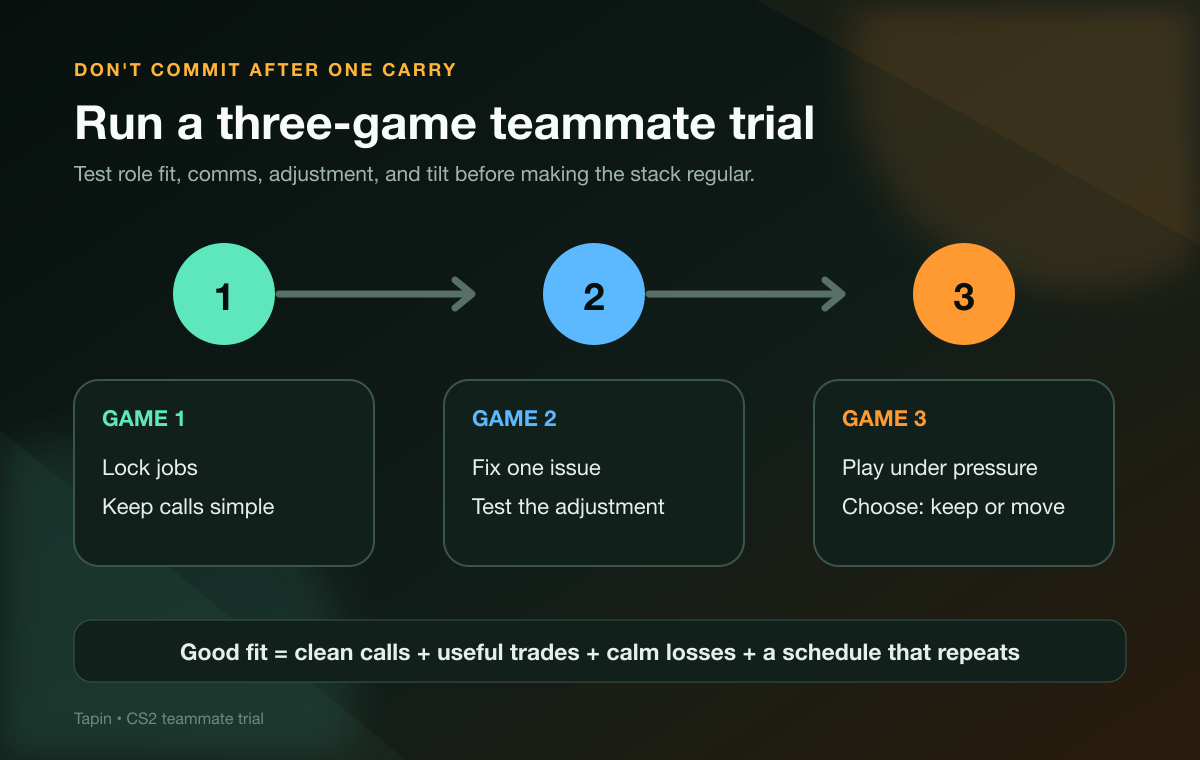
Game one: lock jobs and simplify calls
Choose the caller, entry, trader, AWP plan, and starting map positions. Use short information: location, number spotted, bomb status, damage only when useful, and what utility is missing.
After the match, name one thing that worked and one thing to change. Keep it under a minute.
Game two: test one adjustment
Run the same basic job split if the map allows it. You are testing whether the team can apply one agreed fix, not whether a totally new setup hides the old problem.
Watch the first lost anti-eco or failed execute. Calm reset language tells you more about a teammate than loud confidence during a stomp.
Game three: decide without overthinking it
Ask five questions:
- Did the jobs fit without constant bargaining?
- Did entries get traded instead of abandoned?
- Did the calls become clearer by game three?
- Could people own mistakes without starting a trial in voice chat?
- Can this schedule happen again?
Mostly yes means add them and set the next block. Multiple noes means move on politely; chemistry is not a moral judgment.
If you want the group to last beyond tonight, our guide to finding gaming friends as an adult covers the scheduling and social side that a rating badge cannot solve.
Screen for Safety and Behavior
A shiny rating does not make pressure, harassment, cheats, or account sharing acceptable.
Keep your Steam credentials, recovery codes, payment details, and private information private. A real teammate needs your public profile or friend code and the session plan. They do not need to log into your account, install a mystery file, or “verify” you through a random link.
Leave if someone pushes cheats, asks to take over the account, ignores a clear boundary, or turns the first loss into abuse. Block and report them through the platform or community where the contact happened.
Green flags are quieter:
- They name a preferred job and a backup.
- They show up at the agreed time.
- They keep death comms short.
- They can change one setup without blaming the whole lobby.
- They stop after the agreed game block.
Reliability is a pattern. Give it three games, then another scheduled block—not blind trust after one carry.
CS2 LFG FAQ
What does LFG mean in CS2?
LFG means looking for group. In CS2, players use it to find one teammate, complete a five-stack, recruit for scrims, or build a recurring Premier or third-party queue group.
What should I put in a CS2 LFG post?
Include the mode and goal, queue-specific rating, main and backup job, server region, exact play window, and comms style. Add one or two hard boundaries so mismatched players can filter themselves out.
Where can I find CS2 teammates?
Start with recent-player adds, open communities, or the party finder attached to your matchmaking platform. Use Tapin when you want a paid on-demand teammate and less time spent recruiting.
Do I need a full five-stack for Premier?
No. A duo or small group can still give you a reliable trade pair and a clear voice for opening calls. Add players when each person makes the plan clearer, not just because five looks complete.
How do I know if a CS2 teammate is a good fit?
Run a three-game trial. Check job fit, trade spacing, call quality, behavior after losses, willingness to adjust, and whether your schedules can repeat.
Should I list Premier rating or FACEIT level?
List the rating for the queue you are actually playing. If you use both, label both clearly; do not imply they are the same scale.
Find the Fit, Then Queue
A strong CS2 LFG post is simple: state the mode, rating, jobs, region, time, comms, and boundaries. Then test the fit across three games instead of betting the whole stack on one scoreboard.
Want to skip the open-call chaos? Find your next CS2 teammate on Tapin, choose the session that fits, and get into queue.