

Last Updated: October 2026
A fast edit that gets you shot is a bad edit. A Fortnite edit course should train clean openings, instant resets, protected peeks, and the shot that comes after—not just a flashy timer.
That matters even while Fortnitemares 2026 changes the live map and loot pool{:target="_blank"}. Weapons rotate. The open-shoot-reset habit survives every season.
This routine takes 20 minutes. You’ll leave Creative with numbers you can track and a clear test for whether your edits actually work under pressure.
Quick Fortnite Edit Course Routine
Run these four blocks in order:
| Block | Time | Goal |
|---|---:|---|
| Clean singles | 5 minutes | Zero missed tiles or accidental edits |
| Edit-reset pairs | 5 minutes | Close every opening immediately |
| Peek, shoot, reset | 5 minutes | Protect your body before firing |
| Random fight transfer | 5 minutes | Use the edit without knowing the next angle |
Don’t chase a personal-best time until you can finish the first two blocks with 90% clean reps. Speed built on mistakes becomes panic in Ranked.
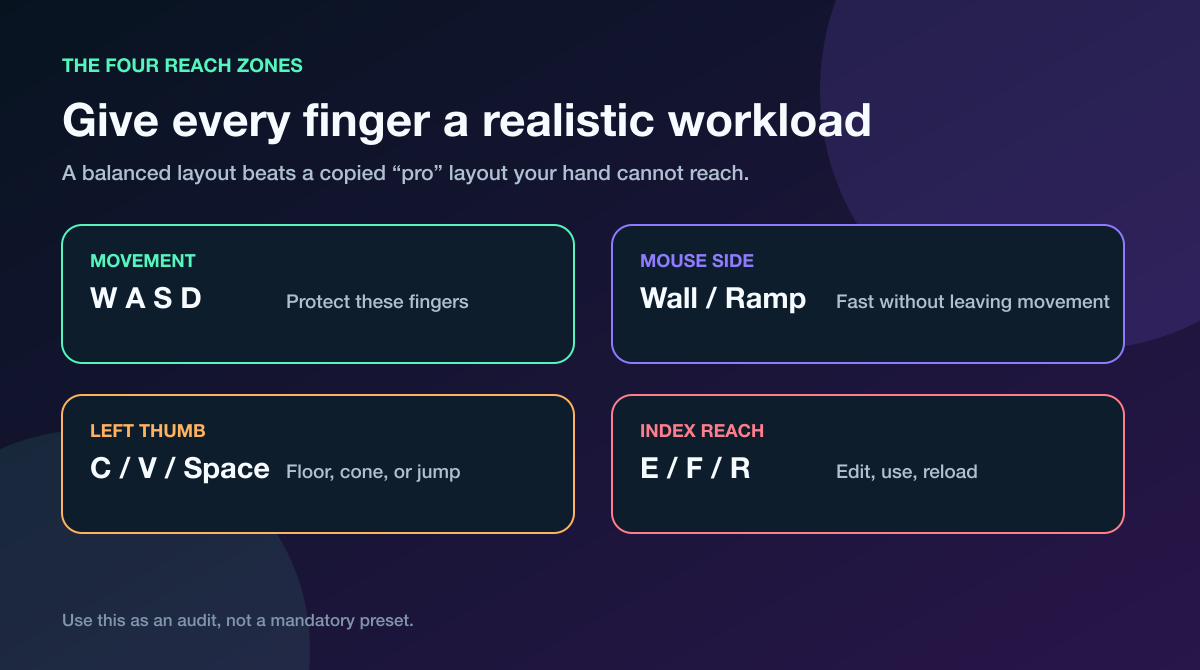
Your edit bind should be quick to reach without stealing a finger from movement.
Epic’s own Fortnite glossary describes an edit course{:target="_blank"} as a track built from walls, floors, and roofs that players modify to keep moving. That definition is useful—but finishing the track is only the starting point.
The real goal is controlling a fight after the structure changes.
Fix Your Setup Before Grinding Edits
If one key forces your hand off movement, 500 reps will only make the conflict more automatic. Audit the setup first.
Your edit bind needs to pass three tests:
- You can strafe both directions while pressing it.
- You can select tiles without squeezing or twisting your hand.
- You can reset and return to your weapon without looking at the keyboard.
Controller players should run the same test. If entering edit mode, selecting, confirming, and swapping back creates a finger traffic jam, move one action and retest it. Don’t copy a pro layout just because the screenshot looks clean.
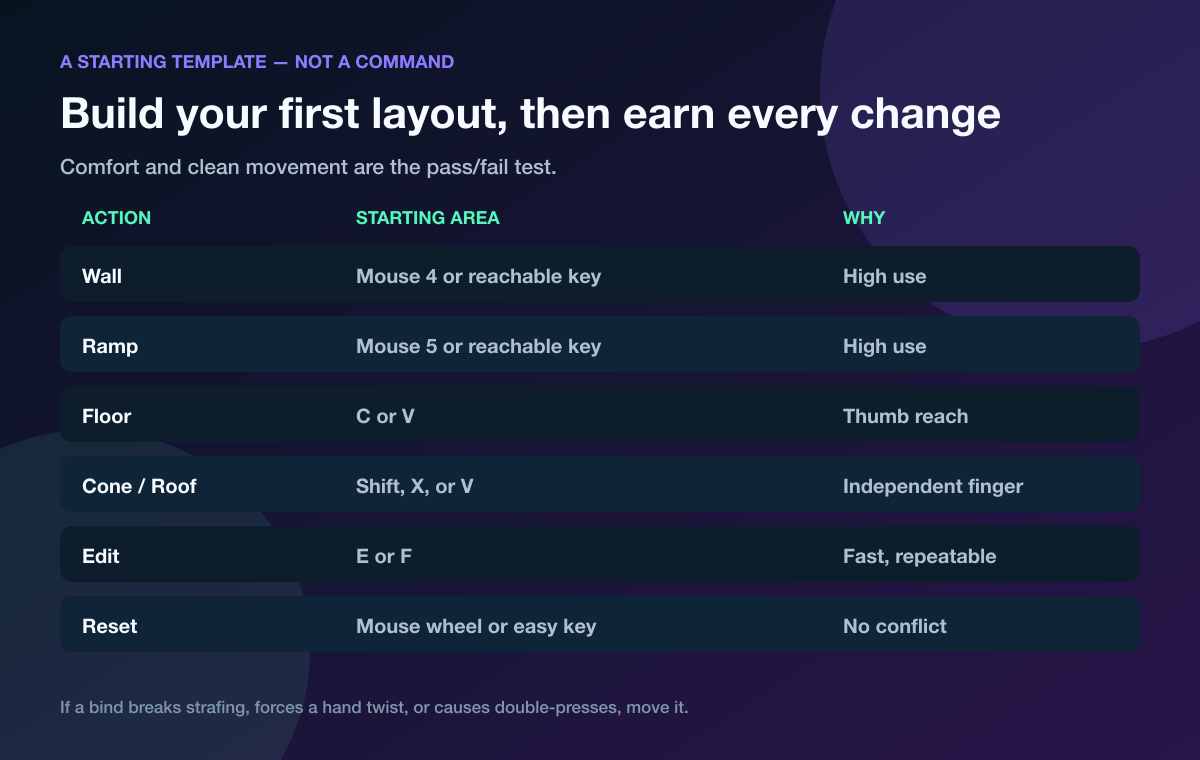
Treat a keybind template as a starting point, then keep only what your hands can repeat under pressure.
Our Fortnite keybinds guide walks through a one-change-at-a-time setup test. Use it before you time your course. Changing four binds and your sensitivity together makes it impossible to know what helped.
⚠️ Watch Out: A faster Creative time on day one can come from memorizing the route, not improving your editing. Change one input, keep the course constant, and judge the result across several sessions.
Block One: Build Clean Edit Mechanics
Start with single wall edits at a pace that feels almost too easy. Pick a tile pattern, confirm it, walk through, reset, and repeat from the other direction.
Count three errors:
- Missed tile: your crosshair skips or selects the wrong square.
- Movement break: you stop strafing when your edit hand gets busy.
- Open wall: you move on without resetting the structure.
Do 20 reps. If you make more than two total errors, slow down and repeat the same pattern.
Next, add floors and cones. The point isn’t to learn every montage edit. It’s to make common pieces feel identical under your hand so a roof or floor doesn’t break your rhythm in a real fight.
I believe clean mechanics beat raw speed every time. A player who opens the correct tile, keeps cover, and resets is harder to punish than someone who flies through a course and exposes their whole body.
Use both movement directions
Most players drill their comfortable side until it looks cracked, then freeze when the enemy owns the opposite angle. Run every pattern moving left and right.
If one direction is much worse, give it twice the reps. That imbalance is exactly what the course is supposed to expose.
Block Two: Make Every Edit Include a Reset
An edit isn’t finished when the opening appears. It’s finished when you’ve taken the action and closed the danger.
Run this loop:
- Open a window or corner.
- Move to a protected angle.
- Swap to your weapon.
- Reset the piece.
- Return to build mode.
At first, skip the shot. You’re building the order of operations without recoil, damage numbers, or a moving target stealing attention.
Then add one shotgun shot between steps three and four. Your score is not damage—it’s whether the wall closes immediately after the shot.
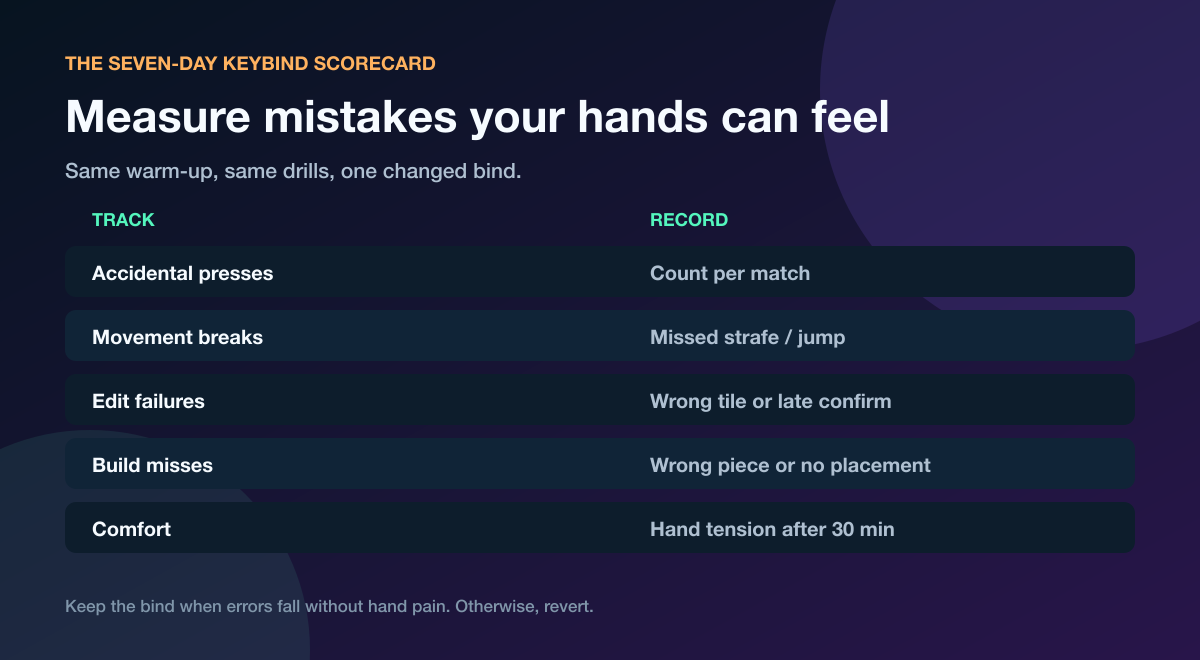
Track edit failures and movement breaks instead of judging the session by vibes.
This is where Fortnite piece control practice connects to editing. Owning the nearby pieces gives your edit a purpose: you’re creating a safe angle inside space you control, not opening a random hole and hoping your aim wins.
Block Three: Train the Shot After the Edit
Creative timers reward movement through the course. Fights reward the first clean shot without a return shot.
Use target lanes or a simple practice bot and rotate through three reps:
- Window peek: open, shift off-center, shoot, reset.
- Corner edit: keep most of your body behind the wall, shoot, reset.
- Right-hand setup: move so your cover hides more of your model before the shot.
Don’t spam. Pause long enough to verify your crosshair is on the target before firing.
If the edit feels fast but your first shot misses, pair this routine with our 20-minute Fortnite aim training plan. Editing creates the chance. Crosshair placement cashes it in.
⚡ Pro Tip: Record 60 seconds of this block. Watch only your crosshair and exposed body—not the timer. You’ll spot wasted flicks and wide peeks immediately.
Block Four: Force the Skill Into Real Fights
Memorized routes are comfortable. Opponents are not.
Finish every session in a random-angle mode: box fights, realistic 1v1s, or a Creative drill that changes the target position. Your only goal is to use one trained edit correctly three times.
That sounds small because it is. You’re transferring a controlled rep into a messy fight, and transfer works better when the goal is narrow.
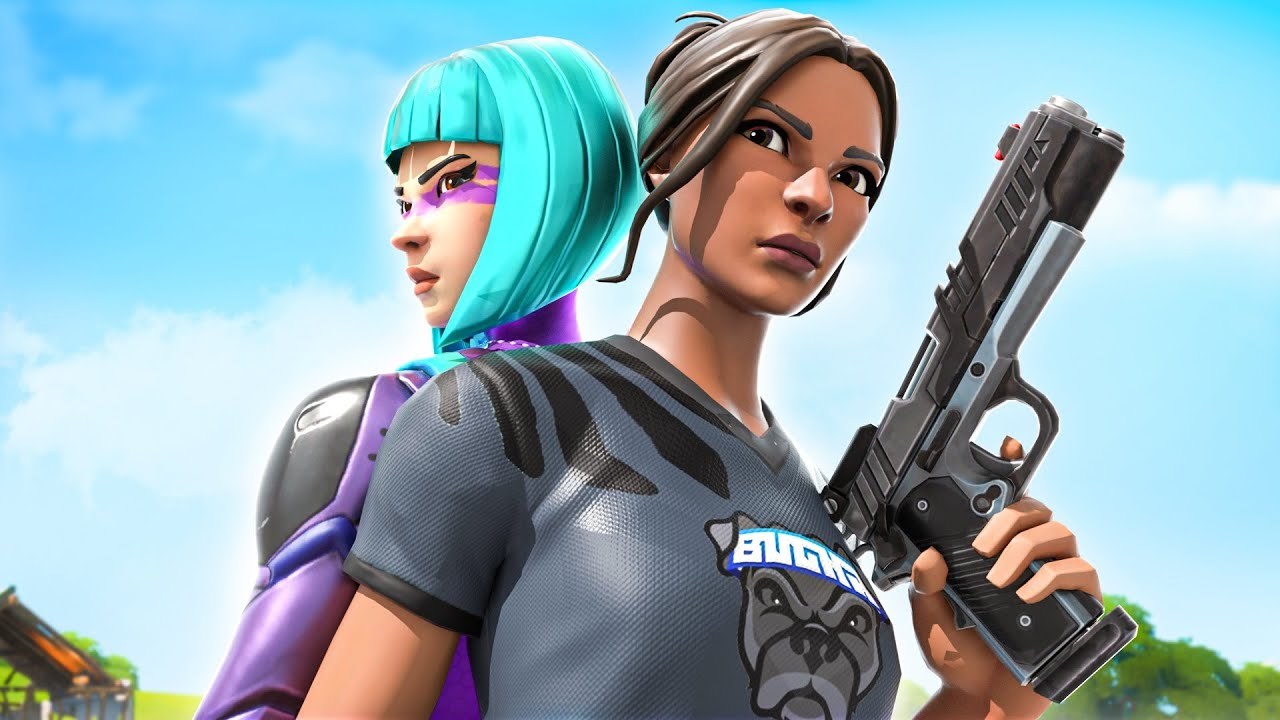
A practice partner can vary pressure and call out when your edit exposes too much.
Ask your partner to alternate between holding space, pressuring the wall, and backing off. Now you must read the situation instead of launching the same edit on autopilot.
If you don’t have someone reliable to drill with, find a Fortnite teammate on Tapin. Tell them the exact goal: 10 minutes of controlled box-fight pressure, then three live matches where they flag unsafe edits.
That feedback is more useful than another silent hour against a static wall.
How to Measure Fortnite Editing Practice
Keep one scorecard for seven days. Record the same five numbers after each session:
| Metric | What to count |
|---|---|
| Clean edit rate | Correct edits divided by total attempts |
| Reset failures | Openings left exposed after the action |
| Movement breaks | Times you stop strafing unintentionally |
| First-shot hits | Accurate shots after a successful edit |
| Fight transfers | Correct trained edits used under pressure |
Your course time can improve while your fight transfer stays flat. If that happens, stop speed-running. Add random angles, moving targets, or a partner who changes the pressure.
The target after one week is simple: fewer errors at the same speed, then the same error rate at a faster speed. That order protects your mechanics.
Common Fortnite Edit Course Mistakes
Running one map forever
Once you can predict every tile, the course starts testing memory. Rotate to a different layout or use a random edit section while keeping the same metrics.
Practicing only open edits
Opening the wall feels satisfying. Resetting it wins the trade. Pair every opening with a close until the sequence feels like one action.
Changing settings every bad day
One rough session doesn’t prove your binds are broken. Keep the setup for several sessions unless it causes pain or a repeatable input conflict.
Treating every rep like a race
Speed is the last layer. Build accuracy, movement, weapon timing, and resets first.
Never testing against another player
Static drills cannot fake hesitation, pressure, or a player taking your wall. End with live resistance every time.
Fortnite Edit Course FAQ
How long should I practice Fortnite edit courses?
Start with 20 focused minutes: five minutes each for clean singles, edit-reset pairs, peek shots, and random fight transfer. Stop when error quality drops; tired reps can train sloppy inputs.
Should I use Confirm Edit on Release?
Use the option that lets you edit, move, shoot, and reset consistently. Test one setting for several sessions and compare missed tiles, movement breaks, and reset failures instead of copying someone else’s preference.
Why am I fast in Creative but slow in Ranked?
You probably trained a known route without pressure. Add random angles, weapon swaps, moving targets, and a practice partner who changes the timing.
What edit should a beginner learn first?
Learn one protected window, one corner edit, and an immediate reset. Those patterns teach angle control without forcing you into complicated sequences.
Do edit courses help controller players?
Yes. The same progression works on controller: clean selection, fast return to movement, weapon timing, and resets. Judge the layout by repeatable inputs and comfort, not by a copied pro preset.
Make the Edit Win the Fight
A good Fortnite edit course routine builds a full action: create the angle, hit the shot, close the opening, and move. Track that chain for seven days before chasing a faster timer.
Then take it into a real fight with a teammate watching. That’s where practice finally becomes a win.