

Last Updated: August 2026
The hard part of Minecraft LFG isn't getting a reply. It's finding someone on the right edition, running the right version, who wants the same kind of world and will still show up after the first diamond haul.
This guide gives you a six-field fit check, a copy-ready post, a safe access ladder, and a three-session trial. The goal isn't a crowded member list. It's one or two players you can trust with a world you actually want to keep.
Mojang changed Minecraft's version numbering in 2026{:target="_blank"}: Java and Bedrock versions now begin with the year, but their release numbers still differ because the editions ship on different schedules. Java 26.2 added an in-game Friends List and presence controls{:target="_blank"}. Finding people is easier; finding the right people still takes a proper filter.
⚡ Quick answer: Put six things in your post: edition and version, world type, shared goal, region and schedule, communication style, and rules. Keep the invite private, start new players with limited access, and test the fit across three sessions.
Table of Contents
- Match the Minecraft setup first
- Choose where to find players
- Write a useful LFG post
- Protect your world
- Run a three-session trial
- Screen for safety and behavior
- FAQ
Minecraft LFG: Match the Setup First
Minecraft has more compatibility traps than a normal party queue. “Survival” can mean a fresh vanilla Realm, a two-year SMP with an economy, a hardcore run, a heavily modded server, or a cozy build world where nobody wants the End rushed on night one.
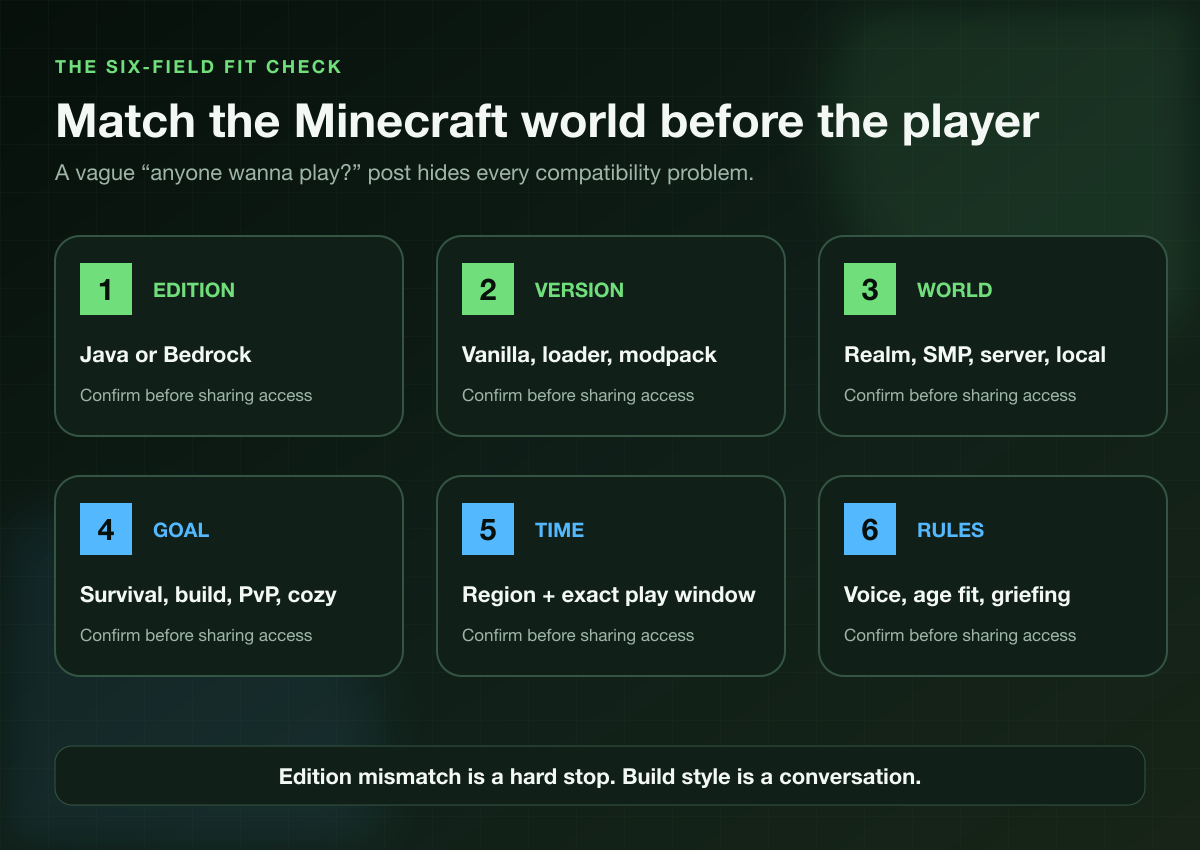
Start with these six fields:
- Edition: Java or Bedrock?
- Version: Exact release, snapshot or preview, mod loader, and modpack version?
- World: Realm, private server, public SMP, hosted local world, or minigame server?
- Goal: Long-term survival, technical farms, creative building, PvP, speedrunning, roleplay, or relaxed exploration?
- Time: Region, time zone, exact play window, and expected frequency?
- Rules: Voice or text, age fit, pace, griefing boundaries, cheats, shared resources, and progression limits?
Java and Bedrock are different pools
The official Minecraft Realms comparison{:target="_blank"} says Bedrock Realms support cross-platform play among Bedrock devices, while Java Realms connect Java players across Windows, Linux, and macOS. That does not make a normal Java world compatible with a Bedrock client.
Edition is a hard requirement. Version and mods can be negotiable, but only if everyone agrees to install the same setup before session time.
Name the world, not just the mode
“SMP” describes multiplayer survival, not the social contract. Say whether the world is new or established, what difficulty it uses, whether keep inventory is on, how shared storage works, and which milestones are protected.
A builder who wants a six-month town project is a bad fit for a player who plans to speedrun the dragon and vanish. Neither person is wrong. The post failed if it pretended those goals were the same.
Where to Find Minecraft Players
Use the route that matches how much time you want to spend searching and how much control you need over the fit.
| Route | Useful when | Main limitation |
|---|---|---|
| Current friends and recent players | You already know how they act in-game | Small pool and uneven schedules |
| Realms, servers, and public LFG communities | You want a broad free search | You must screen freshness, fit, and safety |
| Tapin | You want an on-demand teammate | It is a paid option |
Java 26.2 added a Friends List with requests, presence, and privacy settings{:target="_blank"}. That's useful after you meet someone, but it does not tell you whether they respect the world rules or play when you do.
Public communities give you reach. Check when a post was made, whether it names Java or Bedrock, and whether the world owner explains the actual project. “Need active players” with no version, schedule, or rules is a request for more questions, not a ready session.
Tapin is the paid, on-demand route. You can choose a Minecraft teammate on Tapin when you would rather select a session and start playing than recruit from an open call.
I believe that option makes the most sense when your free time is fixed or you want one dependable player for a focused build, exploration run, or relaxed co-op block. If you enjoy running a community and have time to screen people, a free LFG route can work fine.
New to the shorthand? Our guide to what LFG means covers LFG, LFM, and the basic etiquette without assuming you live in Discord.
Write a Minecraft LFG Post People Can Answer
“Anyone wanna play Minecraft?” hides every useful decision. A good Minecraft group finder post lets incompatible players skip it and gives compatible players something specific to answer.
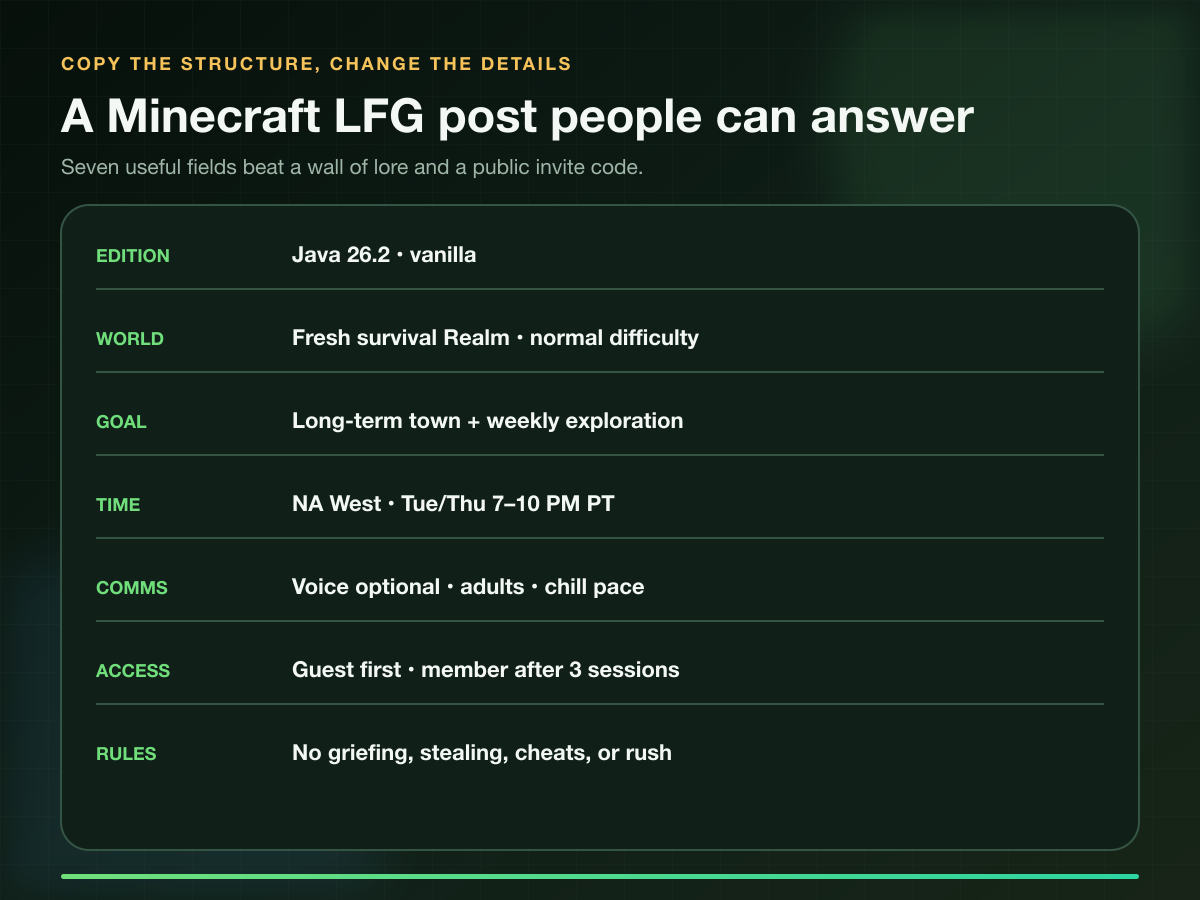
Use this structure:
Java 26.2 | Vanilla survival Realm | NA West
World: Fresh start, normal difficulty, long-term town project
Schedule: Tuesday and Thursday, 7–10 PM PT
Looking for: 2–3 adults who like building and exploration
Comms: Voice optional; text is fine
Pace: No rushing the End before the group agrees
Access: Guest task first; recurring access after three sessions
Rules: No griefing, stealing, cheats, or sharing invite links
Reply with: Time zone, build style, and what you want to work on
Separate hard requirements from preferences
A hard requirement makes the session impossible or unsafe: wrong edition, incompatible modpack, no availability during the play window, or refusal to follow access rules. A preference can bend: voice chat, build style, experience, or whether someone joins every week.
Keep the hard list short. You need compatible players, not copies of yourself.
⚡ Pro Tip: End with one question that exposes fit: “What do you want this world to look like after a month?” “Anything” replies usually mean the person has not read the post.
If the channel itself is the problem, compare the search styles in our guide to apps for finding gaming friends. The six-field filter still matters after an app gives you a username.
Protect the World Before Sharing Access
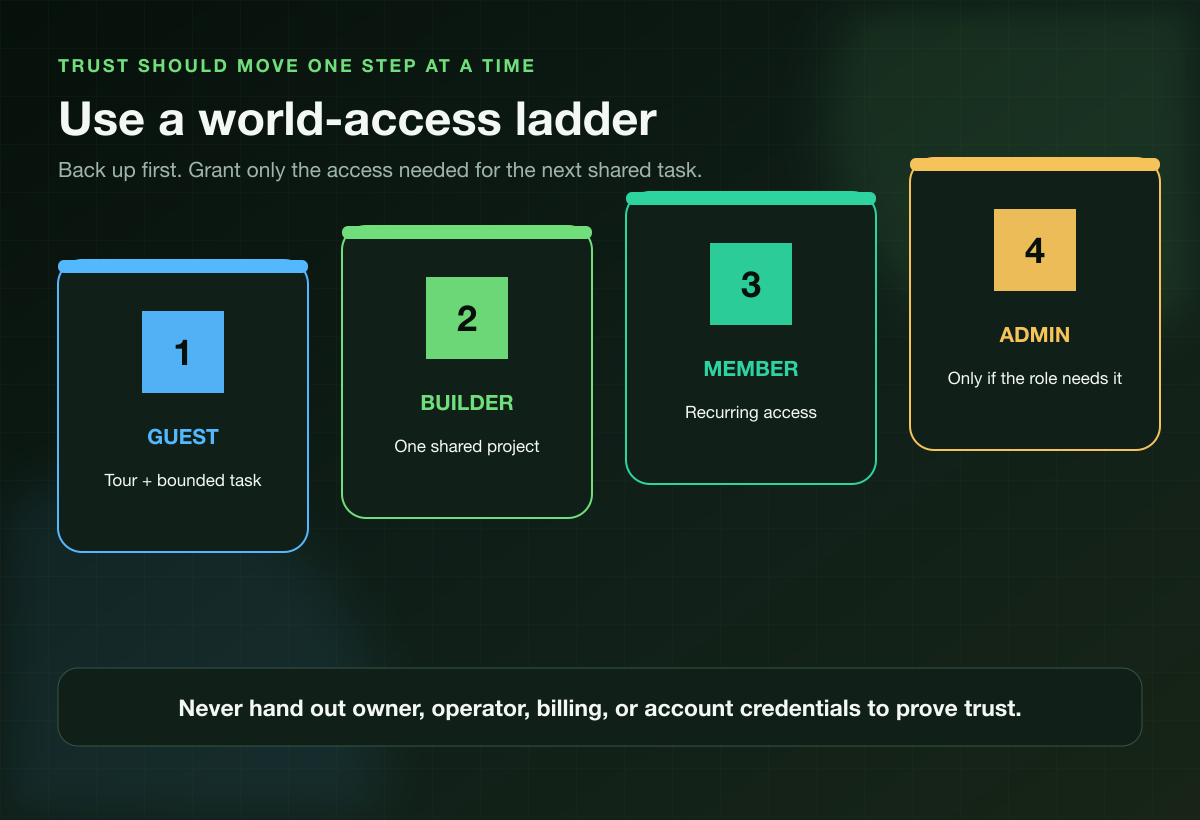
A world can hold hundreds of hours of work. Treat access like a ladder, not a welcome gift.
- Guest: Give a tour and one bounded task away from valuables or core infrastructure.
- Builder: Share one real project with clear material and boundary rules.
- Member: Grant recurring access after the player shows up, communicates, and respects the world.
- Admin or operator: Give elevated permissions only when a defined role needs them.
These are trust stages, not universal menu labels. Use the permission controls available on your Realm, server, or host and keep each player's access as narrow as the next task allows.
Back up the world before inviting a new player and before major permission changes. Realm owners should also control how invitations spread: Minecraft's own Share Link instructions{:target="_blank"} warn that anyone with the link can join and recommend against posting it publicly.
Do not send owner credentials, Microsoft account access, billing details, recovery codes, or hosting-panel passwords. A teammate needs the minimum access required to play. They do not need the keys to everything connected to the world.
Agree on damage and repair before damage happens
Write down the rules for creeper damage, borrowed gear, shared farms, accidental deaths, prank builds, PvP, and restoring backups. Then decide who can make the call when something goes wrong.
The useful test is not whether a player never makes a mistake. It is whether they stop, explain what happened, and help repair it without turning the world into a courtroom.
Run a Three-Session Teammate Trial
One impressive build proves they can build. It does not prove they will respect storage, match the group's pace, or log in again.
Use three sessions to test the parts a screenshot cannot show.
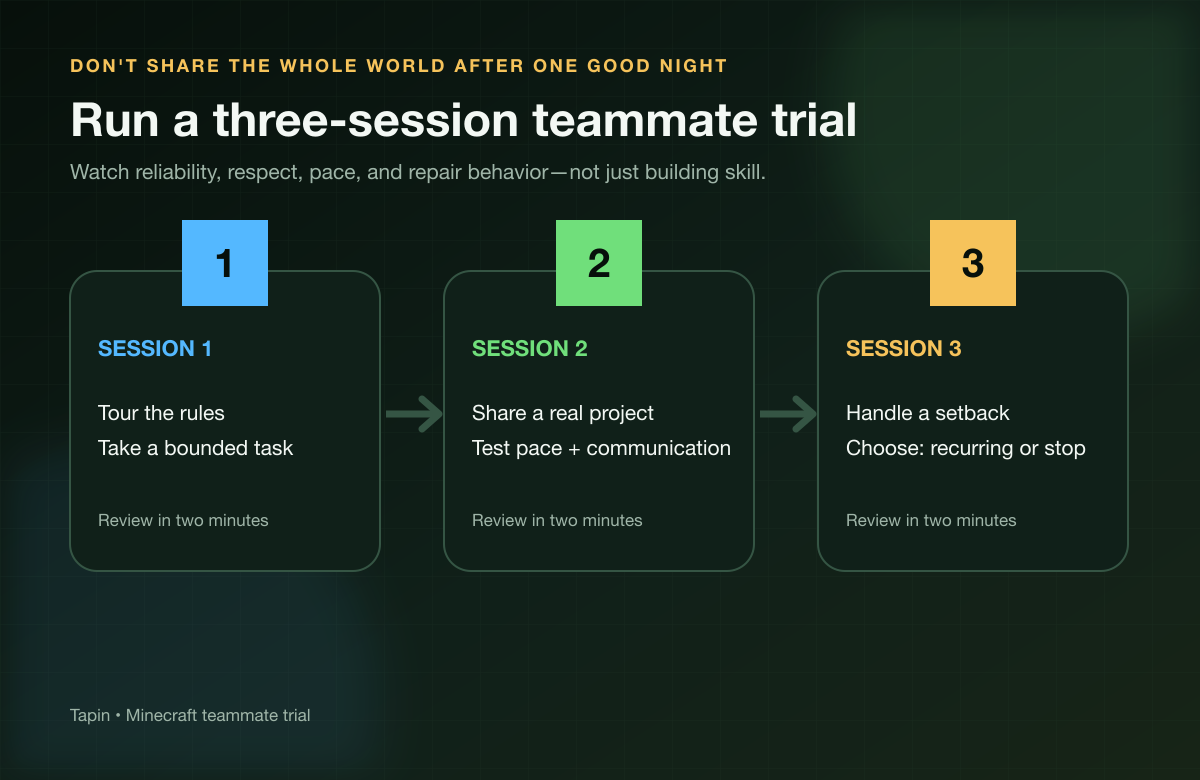
Session one: tour, boundaries, bounded task
Confirm the edition, version, schedule, voice preference, and session goal before sharing access. Tour the protected areas and explain only the rules that matter tonight.
Give the new player a real but bounded task: gather one material, map a nearby area, build a starter room, or help prepare a small farm. You are testing communication and pace, not demanding free labor.
Session two: share a project
Choose a task where both players have ownership. Plan a bridge, clear a monument, explore a trial area, set up transport, or build one section of the town.
Watch how decisions happen. Do they ask before changing someone else's design? Do they return borrowed tools? Can they disagree without sneaking the change in later?
Session three: handle a setback
Do something with a little pressure: a dangerous expedition, a resource shortage, a failed build, or a repair after accidental damage. The point is not to manufacture drama. It is to see how the person reacts when the session stops going perfectly.
Afterward, ask five questions:
- Did they show up when agreed?
- Did they respect protected areas, resources, and progression limits?
- Did the pace feel good for both people?
- Could you solve one disagreement or mistake cleanly?
- Does the next session already sound easy to schedule?
Mostly yes means set the next date and increase access only if needed. Multiple noes means end the trial politely before resentment gets attached to the world.
Long-term groups survive on calendars as much as chemistry. Our guide to finding gaming friends as an adult has a practical rhythm for turning “we should play again” into a recurring night.
Minecraft LFG Safety and Behavior
Minecraft's official Realms safety guidance{:target="_blank"} points players to privacy settings, blocking, muting, and reporting tools. Use them. A shared world is not a reason to tolerate pressure, harassment, or unwanted contact.
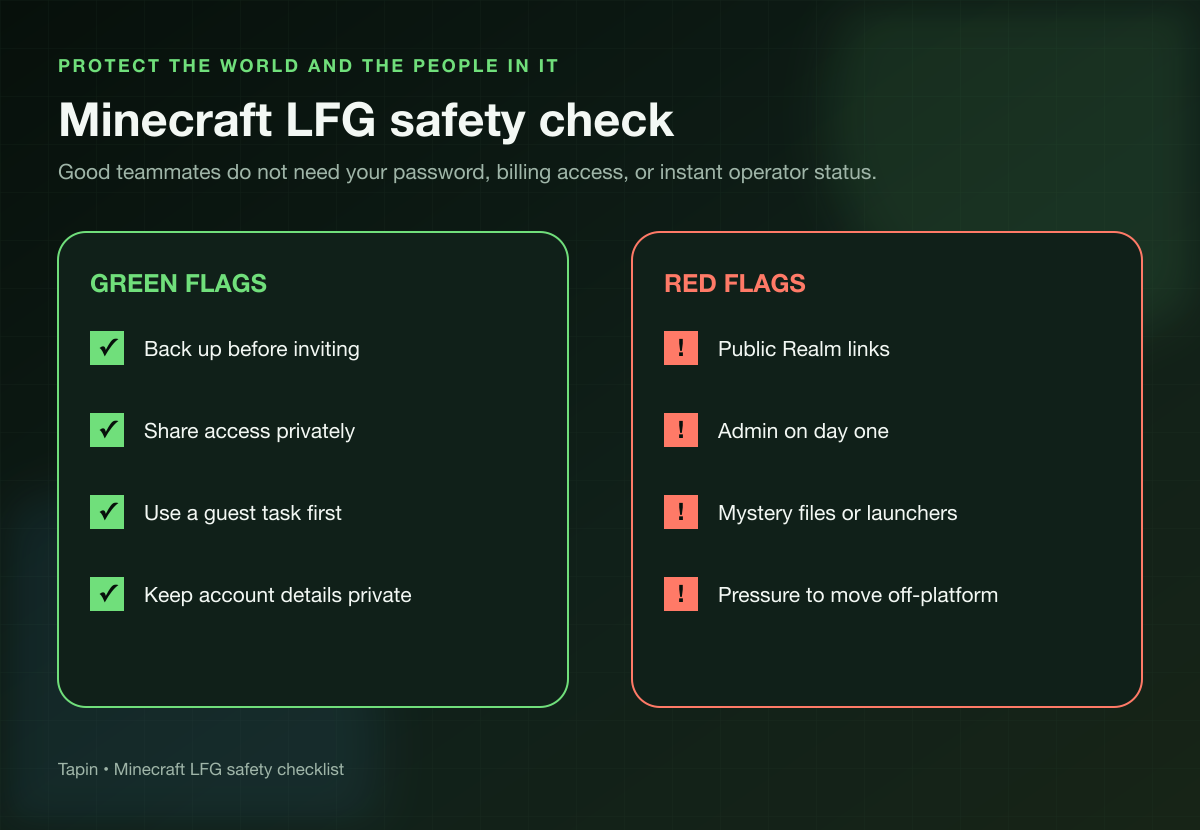
Leave or remove access if someone:
- asks for account, payment, recovery, or hosting credentials;
- sends a mystery launcher, mod, or executable instead of a known project source;
- shares the invite after being told not to;
- pushes for operator permissions before a role needs them;
- ignores age, voice, privacy, or contact boundaries;
- steals, griefs, cheats, or uses “it was a prank” as permission.
For minors, multiplayer access and communication should follow household rules and Microsoft's child-account multiplayer controls{:target="_blank"}. Do not move a young player into unmoderated private calls with unknown adults.
Green flags are quieter: the player confirms the version before session time, asks before altering a shared build, keeps promises about materials, accepts “no,” and gives notice when they cannot make the next block.
Reliability is a pattern. Three sessions reveal more than one huge build screenshot ever will.
Minecraft LFG FAQ
What does LFG mean in Minecraft?
LFG means looking for group. Minecraft players use it to find a survival partner, recruit for an SMP, fill a Realm, form a PvP team, or build a recurring creative group.
Where can I find Minecraft players?
Start with current friends, recent players, Realms or server communities, and general LFG spaces. Use Tapin when you want a paid on-demand teammate and less time spent recruiting.
What should I include in a Minecraft LFG post?
Include Java or Bedrock, the exact version or modpack, world type, goal, region and schedule, communication style, access plan, and rules. Ask respondents for their time zone and what they want to do in the world.
Can Java and Bedrock players join the same Realm?
Not through the standard Realms setup. Bedrock Realms support Bedrock devices, while Java Realms connect Java Edition players on Windows, Linux, and macOS. Match the edition before you invite anyone.
Should I share a Minecraft Realm invite link publicly?
No. Minecraft warns that anyone with a Realm Share Link can join. Send it privately to approved players, remove access when it is no longer wanted, and keep a recent backup.
How do I know if a Minecraft teammate is reliable?
Run three sessions. Check whether they arrive on time, respect rules and resources, communicate before changing shared work, handle mistakes without drama, and make the next session easy to schedule.
Find the Player Who Fits the World
A strong Minecraft LFG post matches the edition, version, world, goal, schedule, communication style, and rules before anyone joins. Then trust grows through shared work, one access step at a time.
Want to skip the open-call loop? Choose a Minecraft teammate on Tapin, pick the kind of session you want, and start building with someone who is ready to be there.